Posts tagged as cms

Nov
12

“When to add CMS?”

Konductor Hat In Vancouver

When should you start thinking about a CMS while designing a website? Probably around the same time that I noticed the numbers in the above image were the same as today’s date, long after the shot was taken. Most designers think about a CMS long before they start doing any work on the site itself. That’s inefficient. CMS should be allowed to be an afterthought.

One of the reasons Konductor exists is because of these frustrating workflows. Designers design websites because the web is open to whatever designs you want to create—so why treat your workflow any differently?

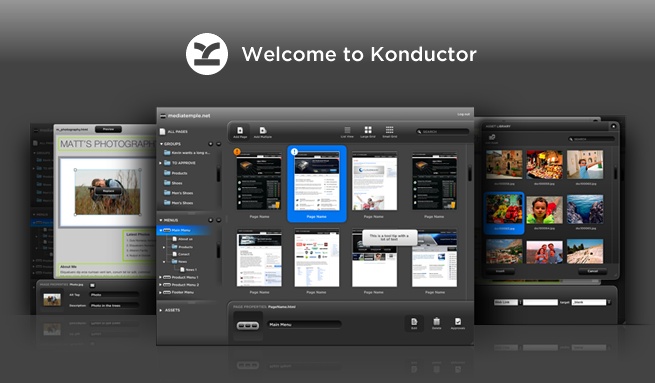
Sites managed with Konductor are built using native Dreamweaver templates, and Dreamweaver templates are essentially glorified HTML pages. If you can build an HTML page, then you can build a site on Konductor. Doing things this way means you can add the CMS at step one of designing, or long after the site has already been live on the web.

If you’re looking for a rigid and overly structured CMS that tells you how your sites should be built and designed, then Konductor’s not for you. If you’re looking for a CMS that will work with your style of designing, then we can help; we’ve thought about this a lot.

This isn’t a sales pitch per say, it’s just a question that we get asked a lot. You literally get that much freedom!


Oct
14

Manage Menus with Konductor

Websites have content and if you have more than one page on a site then you’ll probably need some navigation as well. With Konductor you can allow your clients to manage not only that content but also the menus and links which lead to them.

By defining an editable region as being a menu in Dreamweaver you’re essentially defining a placeholder for where you and your clients can later start building and inserting menus dynamically from within the Konductor application. These menus will also be styled exactly how you want since we only use the CSS that you include. Since pages are built in the application, why not menus as well?

For more specifics on how to define and then build menus with Konductor see the following videos:


Jul
06

Konductor Video Tutorials

How does Konductor work? How can I make parts of my site editable? Can you manage menus dynamically? Questions like these are common to hear from designers new to Konductor. Yesterday, if you had asked us one of these questions, we would have sent you to our help documentation. Starting today we can now show you how to do what you need to do with Konductor.

Over the last few weeks we’ve produced a number of tutorial videos that we’re now pleased to release to you through our YouTube account. Everything from downloading the tools you need to how to work with links and anchors within content regions is covered. Here are two of the playlists we’ve put together, one for designers and one for your clients:

Designer tutorials playlist:

Client tutorials playlist:

We hope that you enjoy and learn lots from these videos. If you have any requests or suggestions for new videos, feel free to leave a comment. And don’t forget that we’re still here to help one-on-one as well, so if you have any questions that aren’t covered in a video, someone will be sure to get back to you pronto.


Mar
09

Firefox website cut to Konductor in less than 2 minutes

Just a quick post this time—we recently posted a video on YouTube showing how quick and easy it it to cut the Firefox website over to Konductor, complete with managed menus and styled regions with no modifcations to the code:

Below is all the major steps we took to make this video:

  1. Save the site using the “Save Complete” Firefox add on
  2. Add editable regions using Adobe Dreamweaver
  3. Modify content using the Konductor application
  4. Preview the results in Firefox

The video was actually bit over 5 minutes long, but we decided to speed it up a little and get the point across a little faster :P Also, one of the cooler aspects of the process was that DJ Earworm gave us permission to use “United States of Pop 2009 (Blame it on the Pop)” as the sound track to the video! Big thanks for letting us use your track! Be sure to check out his videos.


Nov
16

Interview with The Digital Scene

Another interview has been posted with Derek Zarbrook, this time with The Digital Scene at Adobe MAX 2009. If you watch closely, you’ll even get a little sneak peak of what’s to come with Konductor in the near future. Enjoy.


Sep
24

New Promotional Video!

So what’s Konductor all about anyways? Why bring another CMS into the mix? How does a designer benefit from using Konductor? These are all great questions that we hear often, and we now have a fancy way of summing up the answers.

Introducing the brand new Konductor promotional video! We’ve worked hard on it, and we hope you like it.


Oct
16

500 More Seats Announced

Due to the overwhelming response to the prerelease program – over 500 in 7 days – we have decided to keep the doors open to 500 more. We will be breaking up the users into groups of 50 to 100 over the next few days, with first group of users being sent the AIR application as early as next week. Thanks to all for the amazing response!


Oct
07

500 Konductor Prerelease Seats Now Available!

500 Konductor Prerelease Seats Available

The wait is over – kind of. Well at least we have an orderly line forming now.

As of yesterday, October 5th, Konductor announced that it is now giving away 500 pre-release seats for free to the Web professional community. Within 8 hours we had 109 sign-ups from Designers and Developers all over the world! The Konductor Extension for Dreamweaver to allow Designers to easily work with Konductor from right inside Dreamweaver is coming soon.

If you are interested in test driving the future of content management sign up at the top right of this page now!