Posts tagged as html

Nov
12

“When to add CMS?”

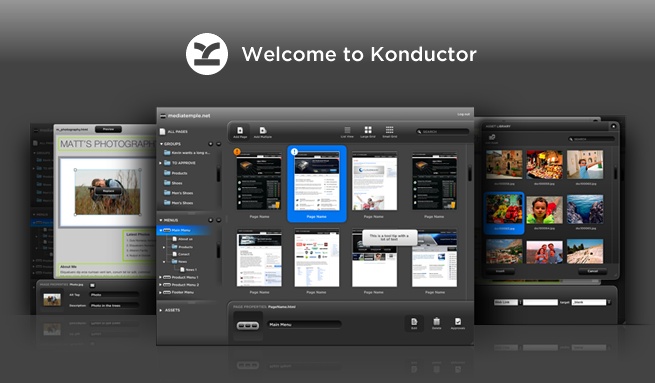
Konductor Hat In Vancouver When should you start thinking about a CMS while designing a website? Probably around the same time that I noticed the numbers in the above image were the same as today's date, long after the shot was taken. Most designers think about a CMS long before they start doing any work on the site itself. That's inefficient. CMS should be allowed to be an afterthought. One of the reasons Konductor exists is because of these frustrating workflows. Designers design websites because the web is open to whatever designs you want to create—so why treat your workflow any differently? Sites managed with Konductor are built using native Dreamweaver templates, and Dreamweaver templates are essentially glorified HTML pages. If you can build an HTML page, then you can build a site on Konductor. Doing things this way means you can add the CMS at step one of designing, or long after the site has already been live on the web. If you're looking for a rigid and overly structured CMS that tells you how your sites should be built and designed, then Konductor's not for you. If you're looking for a CMS that will work with your style of designing, then we can help; we've thought about this a lot. This isn't a sales pitch per say, it's just a question that we get asked a lot. You literally get that much freedom!

May
09

Konductor AIR Application Updates

The team has been working hard on the new build for the last few months, and now that the last of our big tickets are being addressed I have a little time for a blog post :)

In addition to working on the actual application, I often have a chance to work with Konductor and create sites for use on our own system. (We've been dogfooding www.konductor.net since day one) I thought it might be nice to put together a list of hints and tips that we've found useful in creating sites for Kondcutor, which should help you to focus on designing beautiful sites and getting them online as fast as possible.

  1. Write semantic code. Basically this means use your HTML to organize your content logically, then use the CSS to place it. Make the CSS do all the work, and use relevant tags for relevant data (ie. use styled h1-h6 elements for headings, not styled divs. Use styled p elements for paragraphs, not styled divs. Use styled lists for menus, not styled divs) This will not only make your content easiers to style, but also will help with SEO. Reference: http://sixrevisions.com/css/css-tips/css-tip-2-structural-naming-convention-in-css/
  2. Become a CSS ninja. This will make your job that much easier. This doesn't mean you have to know everything there is to know about CSS; just learn some best practices, and learn some techniques used to solve common tasks. Reference: http://sixrevisions.com/css/100-exceedingly-useful-css-tips-and-tricks/
  3. A little jQuery can go a long way. This may sound scary, but this doesn't mean you have to learn everything about jQuery in order to use it effectively. There are many prepackaged modules out there to help you integreate with galleries, video sites, pull in RSS data, and perform all kinds of dynamic data manipulation. Reference: http://designm.ag/resources/28-fresh-jquery-tutorials/

Another tool that can provide some excellent suggestions is the Google Page Speed Online. This will give practical suggestions on how you can structure your site and it's code n order to get the most out of your website.

We will post up another article soon looking at some CSS grid systems and HTML5 elements that can make your web pages quicker and more relevant.